
For Ford, Lincoln & Mercury · 1996 and newer
See what your Ford sees. Without changing a thing.
Drive DTC turns a USB OBD-II adapter and your Windows PC into a clear, modern scan tool: trouble codes in plain English, live gauges, engine health, recalls and a history of every checkup – read-only by design.
- Finds your adapter by itself
- Free to start
- Windows 10 & 11

Everything you need to understand your vehicle
Plug in, press one button, and get answers you can actually read.
Trouble codes in plain English
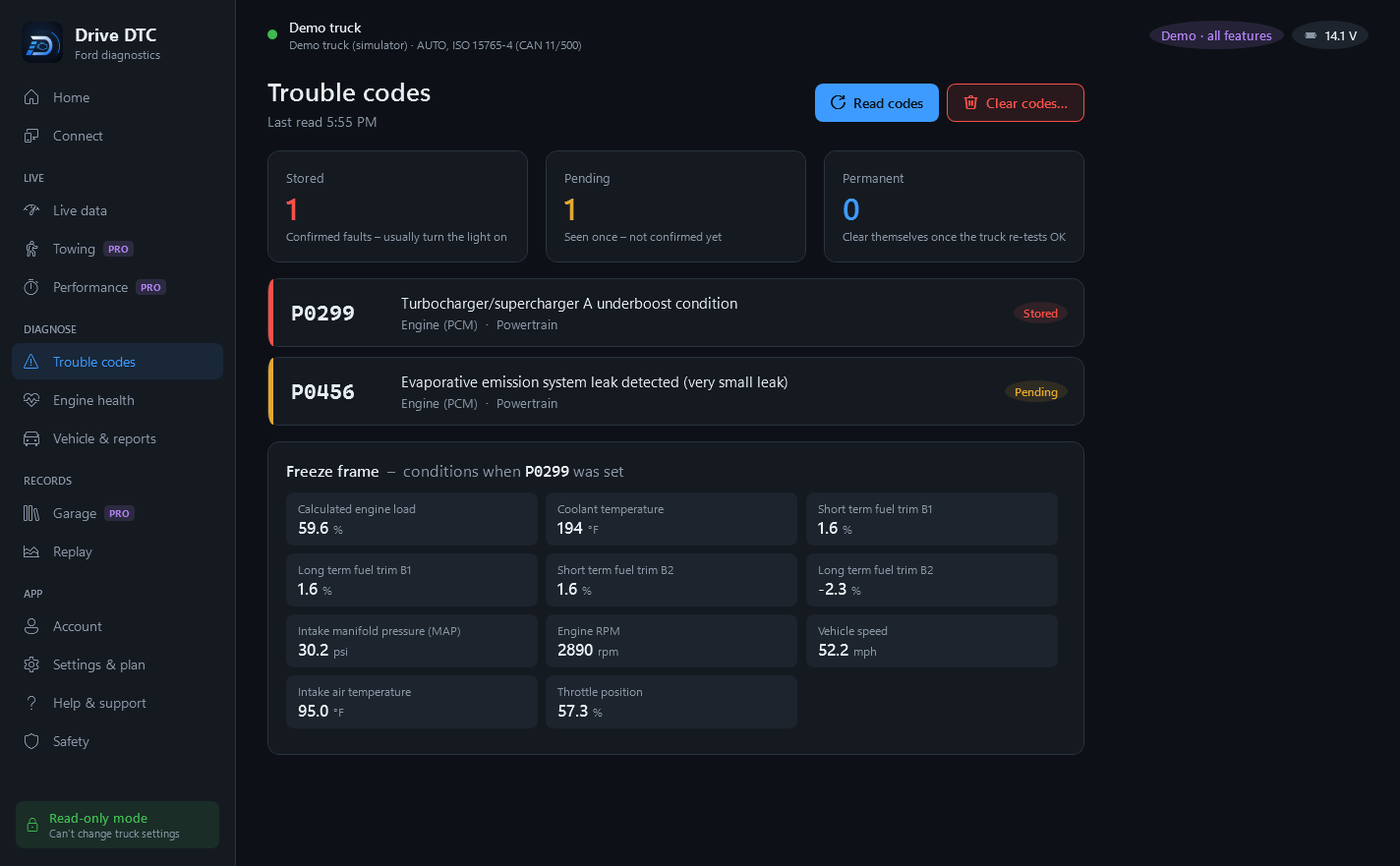
Engine, transmission, ABS and airbag codes with what they mean, freeze-frame data from the moment they set, and a safe way to clear engine codes.
Live data & recording
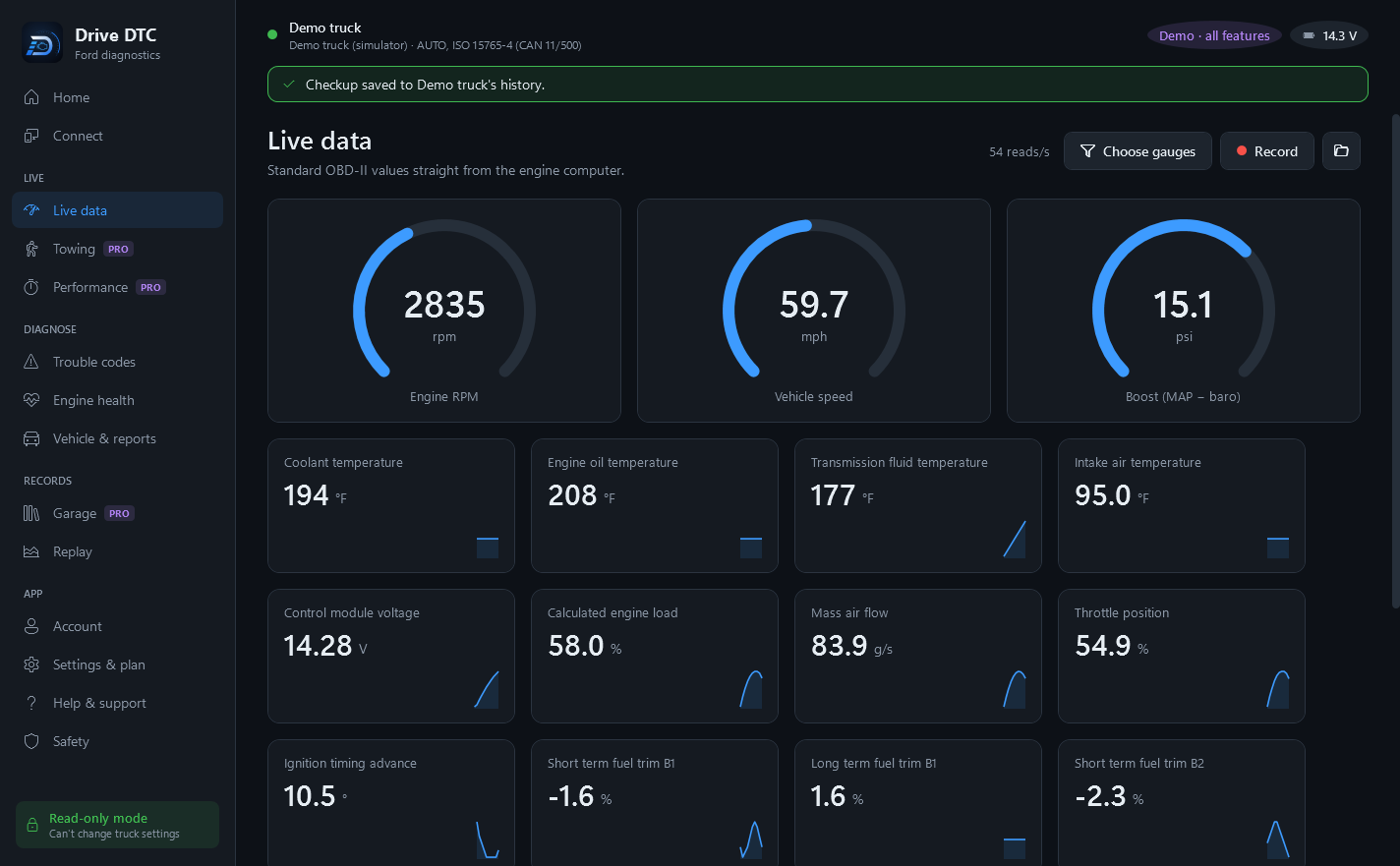
Gauges for 35+ values – RPM, boost, temperatures, fuel trims – plus Ford transmission temperature and tire pressures when your vehicle has them. Record drives and replay them.
One-click health checkup
Codes, readiness monitors, misfire counts for every cylinder and battery voltage in about ten seconds, summed up in a 0–100 health score.
Vehicle details & recalls NEW
Reads your VIN and shows the exact model, trim and engine, plus safety recalls for that model from NHTSA's public database.
Finds your adapter NEW
No hunting for COM ports or baud rates. Drive DTC spots the adapter, remembers it, and can connect the moment you plug it in.
Towing, performance & alerts PRO
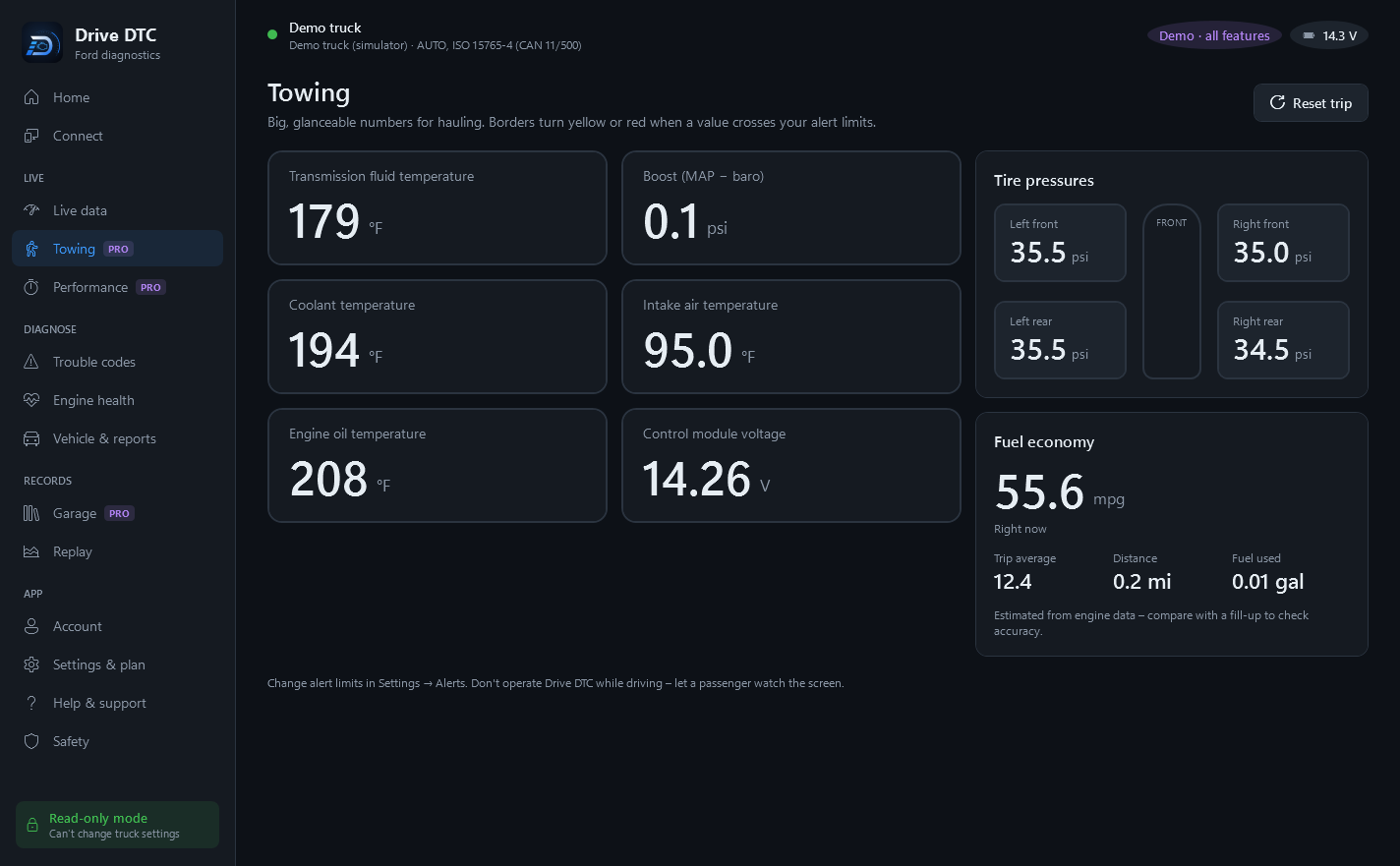
A big towing screen, 0–60 and quarter-mile timers, live fuel economy, and alarms when a temperature or pressure crosses your limit.
Garage & history PRO
Every checkup saved per vehicle, before-and-after repair comparisons, maintenance reminders, and a battery & charging test.
Reports, sync & share links PRO
PDF reports, cloud sync between your computers, and share links your mechanic or buyer can open in any browser.
Shop mode SHOP
Customer details on each vehicle and reports branded with your shop's name, phone and address.
Built to be easy to read
Dark and light themes, big garage-mode text, and screens that make sense at a glance.
Read-only by design
Every message to your vehicle passes a built-in safety guard. Anything that isn't a read is refused in the code – there's no hidden setting to turn it on.
What Drive DTC reads
- Live data, freeze frame and vehicle information (VIN)
- Stored, pending and permanent trouble codes
- ABS and airbag trouble codes
- Readiness monitors and misfire counters
- Battery voltage at the OBD port
- A short list of Ford values: transmission temperature and tire pressures
What it can never do
- Change module settings (As-Built / configuration)
- Program, flash or update modules
- Security unlocks, resets or special sessions
- Actuator or output tests
- Clear ABS or airbag codes (that's a job for a shop after the repair)
- Talk to any module or data ID that isn't on its list
The one action that changes anything is clearing trouble codes, and you have to type CLEAR to confirm. Every message is shown in the app's safety log.
Works with your Ford
Any OBD-II vehicle from Ford, Lincoln or Mercury, and the adapters people already own.
Ford, Lincoln and Mercury cars, trucks and SUVs with OBD-II.
CAN vehicles get every feature, including ABS and airbag codes, misfire counts and Ford data.
Older protocols: trouble codes, live data, freeze frame and readiness.
OHP ELMconfig, OBDLink SX, vLinker FS and other ELM327-compatible adapters.
Start free. Upgrade once.
Pro and Shop are one-time purchases through the Microsoft Store – no subscription.
Free
$0
Everything you need to diagnose
- Health checkup & score
- Engine, ABS & airbag trouble codes
- Freeze frame & clearing engine codes
- Live data, recording & replay
- Readiness & misfire counts
- Vehicle details & recalls
- HTML reports
- Demo vehicle with every feature
Pro
One-time
Price shown in the Microsoft Store
- Everything in Free
- Towing screen & custom alerts
- Performance timers & fuel economy
- Garage, history & before/after compare
- Battery & charging test
- PDF reports
- Cloud sync & share links
Shop
One-time
For repair shops and dealers
- Everything in Pro
- Customer details on each vehicle
- Reports branded with your shop
Questions
Can Drive DTC change or damage my vehicle's settings?
No. Every request passes a safety guard that only allows standard read requests and a few Ford readings like transmission temperature and tire pressures. Programming, module configuration, security unlocks, resets and actuator tests are blocked in the code itself. The only thing that changes anything is clearing trouble codes, which asks you to type CLEAR first.
Which adapter do I need?
A USB ELM327-compatible OBD-II adapter – for example the OHP ELMconfig (set its switch to HS-CAN), OBDLink SX or vLinker FS USB. Drive DTC finds the adapter's COM port by itself. Bluetooth adapters that show up as a COM port can work, but USB is faster and more reliable.
Will it work with my vehicle?
Every 1996-or-newer Ford, Lincoln and Mercury sold in the U.S. has OBD-II. 2008 and newer models (CAN) get every feature, including ABS and airbag codes; older models get trouble codes, live data, freeze frame and readiness. Ford-specific extras show up automatically when your vehicle answers them.
Is this FORScan?
No. Drive DTC isn't affiliated with FORScan or Ford. It's built for reading and understanding your vehicle safely, so it deliberately doesn't do module programming or configuration.
Do I need an account?
No. Diagnostics work on your PC without one. A free account adds cloud sync and share links (with Pro) and lets you see replies to your support messages.
What happens to my data?
Your garage stays on your computer unless you turn on sync. We don't sell data or show ads. The details are in our privacy policy.
Know what's going on under the hood.
Free to start, read-only by design, and made for Ford owners and shops.
Get Drive DTC